About 46% of code on GitHub is now AI-assisted (GitHub Octoverse 2024). That's nearly half.
For engineering teams, this raises an important question: which pull requests were written with AI tools, and which weren't?
We've been tracking AI adoption across development teams (here's why we chose the PR-based approach), and we built a detection system based on the explicit markers AI tools leave behind. Today we're open-sourcing those detection rules so everyone can benefit.
#Try It: Paste Your PR URL
Before we dive into how it works, test it yourself. Paste any public GitHub pull request URL:
Uses the open-source detection package in real-time. Your PR data isn't stored.
Want to send this to someone without the 3,000 words? It has its own page: the AI code detector.
#Why Detecting AI PRs Matters
Understanding which PRs used AI tools helps teams:
- Track adoption patterns - Is your team actually using the AI tools you paid for?
- Understand velocity changes - Are AI tools helping or creating noise?
- Review differently - AI-generated code often needs different review focus (less syntax errors, more logic validation)
- Identify training opportunities - Which team members aren't using available tools?
- Measure ROI - Are expensive AI subscriptions worth it?
We wrote more about why we track AI at the PR level instead of API integrations if you're curious about the approach.
#How We Built the Detection Rules
AI coding tools leave fingerprints. Some are obvious (GitHub Copilot literally commits as github-copilot[bot]), others took serious detective work.
#The Easy Ones: Bot Commits and Explicit Footers
GitHub Copilot was the easiest. When you use Copilot's workspace feature or commit suggestions, it shows up as a bot author:
 1# github-copilot.yml
 2bot_authors:
 3  - pattern: 'github-copilot[bot]'
 4    location: commit_author
 5    confidence: 100
 6    description: "GitHub Copilot bot author"
100% confidence: the tool signing its own work. The one thing to watch for is dependency bumps, whose release notes quote upstream footers, so we don't attribute Dependabot or Renovate pull requests to agents at all.
Claude Code also makes it easy. Anthropic automatically adds a footer to PRs created with Claude Code:
 1# claude-code.yml
 2commit_footers:
 3  - pattern: '\[Claude Code\]\(https://claude\.com/claude-code\)'
 4    regex: true
 5    confidence: 100
 6    description: "Claude Code footer in PR description"
Every PR created with Claude Code includes:
 1🤖 Generated with [Claude Code](https://claude.com/claude-code)
 2
 3Co-Authored-By: Claude Sonnet 4.5 <[email protected]>
Again, definitive. No ambiguity.
#The Harder Ones: Cursor and Tool Rebranding
Cursor was trickier. It doesn't commit as a bot, and early versions didn't add any markers at all.
But we noticed patterns:
- Some developers added
cursor-prefixes to branch names - PRs occasionally had
<!-- Cursor -->HTML comments - The Cursor team eventually added an optional footer
 1# cursor.yml
 2commit_footers:
 3  - pattern: 'cursor\.com'
 4    regex: false
 5    confidence: 90
 6    description: "Cursor footer or reference"
 7
 8branch_patterns:
 9  - pattern: '^cursor[-/]'
10    case_insensitive: true
11    confidence: 70
12    description: "Branch name starts with cursor-"
Lower confidence, but still useful. We're conservative—if we're not sure, we don't flag it.
#Codex: Conventions, and the Session
OpenAI's Codex is really two agents with different habits. Codex cloud works on its own branches and titles, and links back to the task that produced the change:
 1# openai-codex.yml
 2branch_patterns:
 3  - pattern: '^codex/'
 4    regex: true
 5    confidence: 90
 6    description: "Branch starts with codex/"
 7
 8text_patterns:
 9  - pattern: '^\[codex\]'
10    regex: true
11    case_insensitive: true
12    location: title
13    confidence: 90
14    description: "Title starts with [codex]"
15
16commit_footers:
17  - pattern: 'chatgpt\.com/codex/(cloud/)?tasks/'
18    regex: true
19    confidence: 100
20    description: "Link to the Codex task that opened the PR"
Codex CLI, run locally, leaves nothing on the pull request. It does name itself when it connects to an MCP server, as codex-mcp-client, so the rules include an mcp_clients category for tools that can see the session that prepared a change:
 1mcp_clients:
 2  - client_name: '^codex-mcp-client$'
 3    confidence: 90
 4    description: "A Codex session worked on this change over MCP before it opened"
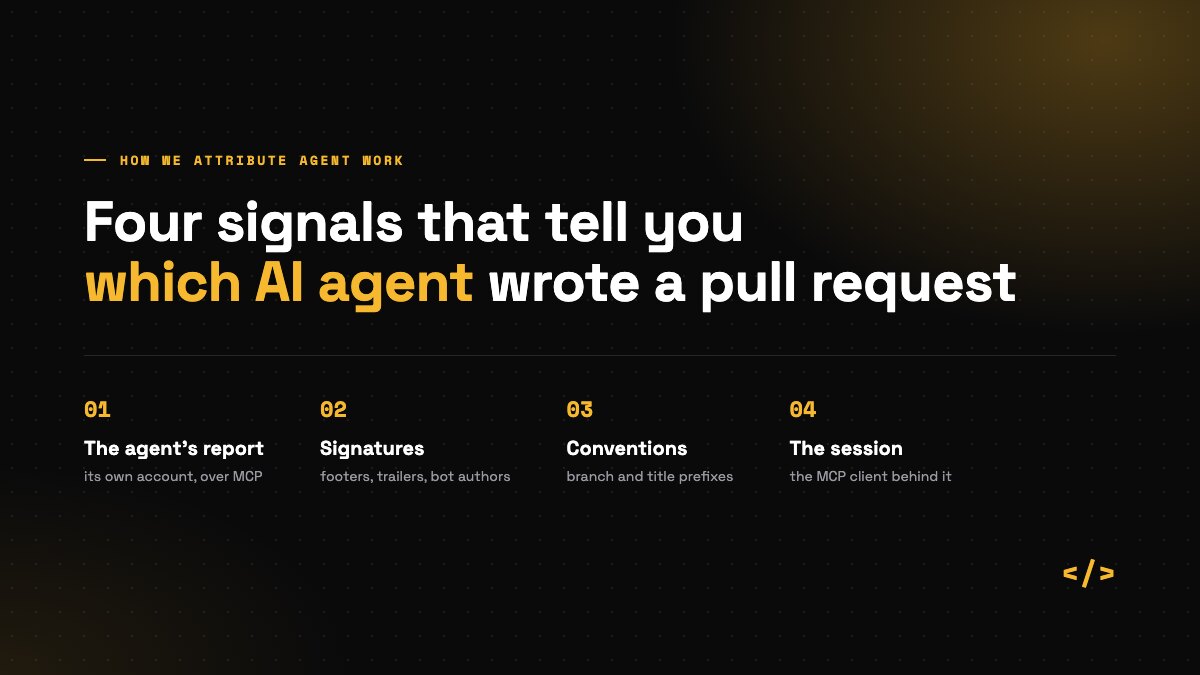
What the rules deliberately don't do is match the word "codex" in a title or description. That mostly finds dependency bumps of the @openai/codex package and edits to .codex/ config files. More on the four signals we combine.
#The Newer Ones: Community Patterns
Tools like WindSurf (Codeium), Aider, v0.dev (Vercel), and Replit AI are newer to our detection system. We've created rules based on:
- Expected patterns (similar to other tools)
- Developer conventions (branch naming, labels)
- Common markers these tools could leave
 1# windsurf.yml
 2commit_footers:
 3  - pattern: 'codeium.com/windsurf'
 4    regex: false
 5    confidence: 100
 6    description: "WindSurf URL reference"
These haven't been validated against large datasets yet, but they match markers the tool writes rather than its name, which keeps them conservative. This is where community contributions matter. If you use these tools and see different patterns, submit a PR!
#The Impossible Ones: When Detection Breaks Down
Here's the uncomfortable truth: some AI usage is nearly impossible to detect with explicit markers alone.
Some agents leave no marker on the pull request at all. For those, the evidence has to come from somewhere else: the agent's own report, or the session that prepared the change, as with Codex CLI above.
The bigger challenge: Many developers use AI tools without ANY explicit markers:
- Cursor with default settings (no footer added)
- GitHub Copilot inline suggestions (no commit metadata)
- ChatGPT copy-paste workflows (completely invisible)
For these cases, we need behavioral analysis - looking at commit patterns, code style shifts, PR description quality, and temporal patterns. That's why our platform combines:
- YAML rules - Free, fast, definitive (when markers exist)
- AI behavioral analysis - Paid, slower, probabilistic (when markers don't)
How we're improving detection:
- Community patterns - The more developers add detection rules, the better coverage gets
- Tool partnerships - Working with AI tool makers to standardize attribution (like Claude Code's footer)
- Better heuristics - Researching commit patterns that indicate AI usage without explicit markers
- Validation datasets - Building open datasets of confirmed AI/human PRs to test accuracy
The goal isn't perfect detection today—it's building a system that gets better as AI tools evolve and the community contributes.
#Enabling Explicit Attribution: The Best Path to Detection
The most reliable way to detect AI-assisted PRs is when the tools leave explicit markers. Here's how to enable attribution in popular AI coding tools:
#Claude Code (Easiest)
Claude Code has built-in support for co-author attribution. Enable it globally:
 1# Enable co-author attribution globally
 2claude config set --global commitCoAuthor true
Or add to your project's CLAUDE.md:
 1# AI Attribution
 2Always include co-author attribution in commits.
This automatically adds to every commit:
1Co-Authored-By: Claude <[email protected]>
Detection coverage: 100% - Every PR will be detected with definitive confidence.
#Cursor
Cursor doesn't have a built-in attribution setting, but you can encourage it via .cursor/rules (or .cursorrules):
 1## Git Commit Guidelines
 2
 3When creating or suggesting commit messages, always include AI attribution:
 4
 5Co-Authored-By: Cursor <[email protected]>
 6
 7This attribution should be added to all commit messages to maintain transparency
 8about AI-assisted development.
Note: Cursor's rules primarily affect code generation. Commit message attribution may not be consistently applied. Consider also enabling Cursor's optional PR footer in settings.
Detection coverage: ~70% - Depends on whether Cursor follows the instruction.
#GitHub Copilot
GitHub Copilot's inline suggestions don't leave markers, but Copilot Workspace commits as github-copilot[bot] which is automatically detected.
For inline suggestions, you can add instructions via .github/copilot-instructions.md:
 1## Commit Attribution
 2
 3When suggesting commit messages, include:
 4
 5Co-Authored-By: GitHub Copilot <[email protected]>
Detection coverage: Variable - Workspace features are 100% detected; inline suggestions depend on manual attribution.
#OpenAI Codex CLI
OpenAI Codex CLI doesn't have native co-author attribution yet (it's a requested feature), but you can use a workaround.
Manual workaround - modify the git author name when committing:
 1# Add (codex) suffix to author name for this commit
 2GIT_AUTHOR_NAME="$(git config user.name) (codex)" git commit -m "Your message"
Or create a git alias in ~/.gitconfig:
 1[alias]
 2    codex-commit = "!f() { GIT_AUTHOR_NAME=\"$(git config user.name) (codex)\" git commit \"$@\"; }; f"
Then use: git codex-commit -m "Your message"
Detection coverage: Codex cloud is identified by its codex/ branches, [codex] titles and task links. Codex CLI is identified by the MCP session that prepared the change (codex-mcp-client), or by the agent's own report.
#Aider
Aider automatically adds co-author attribution by default. Ensure it's enabled in your .aider.conf.yml:
 1# Enable commit attribution (default: true)
 2attribute-author: true
 3attribute-committer: true
Detection coverage: 100% - When attribution is enabled.
#Team-Wide Adoption
For engineering teams wanting consistent AI detection:
- Add tool configs to your repo - Include
.cursorrules,CLAUDE.md, etc. in your repository - Document the expectation - Add to your
CONTRIBUTING.mdthat AI attribution is required - Use pre-commit hooks - Validate that AI-assisted commits include attribution
- Monitor adoption - Track which PRs are detected vs. undetected to identify gaps
Example pre-commit hook (.git/hooks/prepare-commit-msg):
 1#!/bin/bash
 2# Remind developers to add AI attribution if they used AI tools
 3
 4if ! grep -q "Co-Authored-By:" "$1"; then
 5  echo ""
 6  echo "💡 If you used AI tools for this commit, please add attribution:"
 7  echo "   Co-Authored-By: Claude <[email protected]>"
 8  echo "   Co-Authored-By: Cursor <[email protected]>"
 9  echo "   Co-Authored-By: GitHub Copilot <[email protected]>"
10  echo ""
11fi
#Why Attribution Matters
Beyond detection, explicit AI attribution provides:
- Transparency - Reviewers know which code may need different scrutiny
- Audit trails - Track AI usage for compliance and security reviews
- Learning opportunities - Identify which tasks benefit most from AI assistance
- Accurate metrics - Measure true AI adoption across your organization
The bottom line: If your team uses AI tools, enabling explicit attribution is the single most effective way to improve detection accuracy from ~60% to nearly 100%.
#The YAML Approach: Why Not Just Code?
We started with hardcoded PHP for detection. 247 lines of if/else chains. Every new tool meant editing code, testing, deploying.
YAML rules changed everything:
 1tool:
 2  id: devin
 3  name: Devin
 4  provider: Cognition AI
 5  website: https://devin.ai
 6
 7explicit_markers:
 8  bot_authors:
 9    - pattern: 'devin-ai[bot]'
10      location: commit_author
11      confidence: 100
12      description: "Devin bot author"
13
14  commit_footers:
15    - pattern: 'Generated by Devin'
16      regex: false
17      confidence: 100
18      description: "Devin footer in PR description"
Benefits:
- Non-developers can contribute - No PHP/Python/Node knowledge needed
- Update without deploying - Pull latest rules, done
- Framework-agnostic - Works in any language that can parse YAML
- Easy to review - PRs are readable by everyone
Want to add a new AI tool? Create a YAML file, submit a PR. That's it.
#What We're Open-Sourcing
The coderbuds/ai-detector package includes:
- Detection rules for 9+ AI coding tools
- Pattern matching categories:
- Commit footers (PR description signatures)
- Co-author attributions (commit metadata)
- Bot authors (bot email addresses and usernames)
- Branch patterns (naming conventions)
- PR labels
- HTML comments
- MIT License - Use freely, commercially or personally
We're keeping our AI behavioral analysis prompts proprietary (the system that detects AI usage when there are NO explicit markers), but the rules that catch ~75% of AI-assisted PRs are now public.
#Why Open Source?
Simple: AI tools evolve faster than any one company can track.
New tools launch monthly. Existing tools change their signatures. Cursor switched from no markers to optional markers. Claude Code updated their footer format. GitHub Copilot added workspace features.
With an open-source package:
- Developers using new tools can add detection rules
- The community keeps rules updated as tools change
- Everyone benefits from better detection
We'd rather have 100 contributors keeping the rules current than try to monitor every AI tool ourselves.
#How Detection Actually Works
Two-tier system:
Tier 1: YAML Rules (Fast & Free)
Check for explicit markers:
- Scan PR description for tool footers
- Check commit authors for bot emails
- Analyze branch names for patterns
- Look for co-author attributions
Result: ~75% of AI-assisted PRs detected instantly with 100% confidence.
Tier 2: Behavioral Analysis (When Needed)
For PRs without explicit markers, we use OpenAI to analyze:
- Commit message patterns (verbose, perfect grammar, consistent structure)
- PR description quality (structured, detailed, formatted)
- Temporal patterns (burst commits, rapid development)
- Code style consistency
Result: High/Medium/Low confidence estimates for ambiguous cases.
This two-tier approach keeps costs low (most detection is free) while catching edge cases.
#Current Detection Coverage
As of September 2026, the rules cover:
| Tool | Provider | Strongest signals |
|---|---|---|
| Claude Code | Anthropic | Footer, co-author trailer, bot email; claude/ branches |
| GitHub Copilot | Microsoft | Bot commits, co-author trailer |
| Cursor | Anysphere | Co-author trailer, footer, summary comment; cursor/ branches |
| Devin | Cognition AI | Bot author, footer |
| Jules | Pull request signature, task link; task-id branches | |
| OpenAI Codex | OpenAI | Task link; codex/ branches, [codex] titles; MCP client for Codex CLI |
| WindSurf | Codeium | URL reference, HTML comment; windsurf- branches |
| Aider | Open Source | Commit prefix, website reference, HTML comment |
| v0.dev | Vercel | URL reference, HTML comments |
| Replit AI | Replit | Bot author, URL reference, HTML comment |
Signatures the tool writes itself (footers, trailers, bot authors, task links) score 100. Conventions like branch and title prefixes, and the MCP session, score 90 or below, because a person can follow a convention too.
Missing a tool? Submit a PR - we accept all valid detection patterns.
#Real-World Accuracy
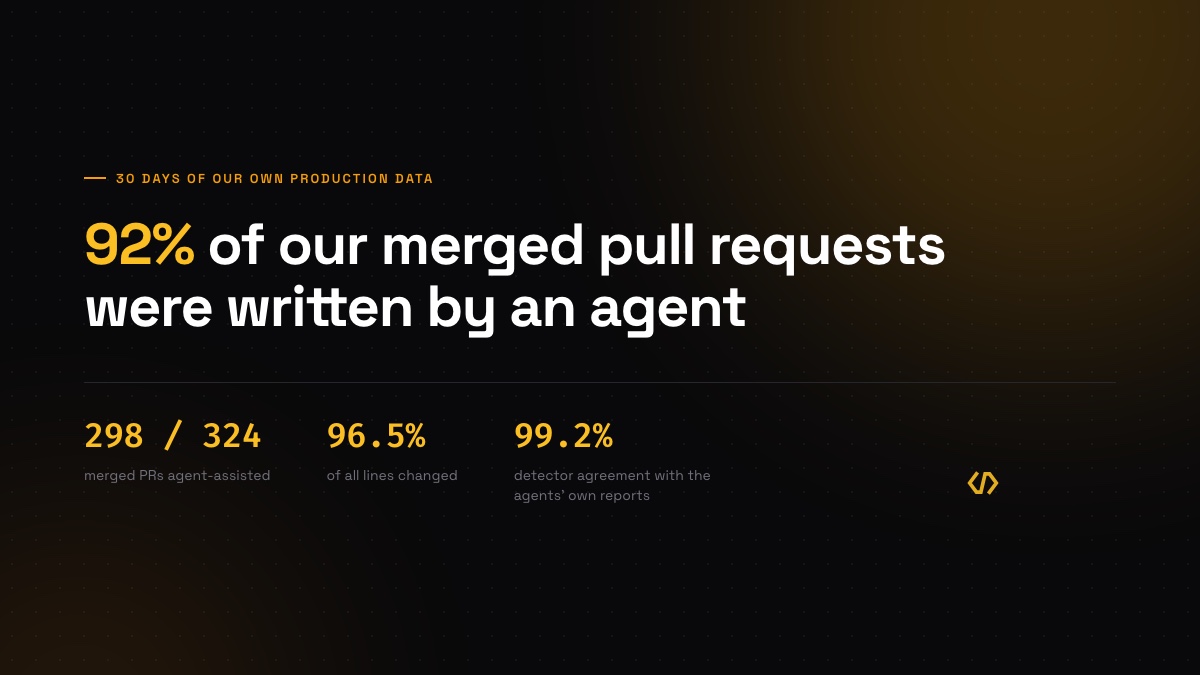
We tested the core YAML rules (Claude Code, GitHub Copilot, Cursor) against 1,000+ pull requests created by our own team during platform development:
- 100% agreement with our previous detection system
- 0% false positives on PRs marked as AI-assisted
- Perfect tool identification for PRs with explicit markers
- ~2% false negatives (AI PRs without markers, caught by behavioral analysis)
For PRs with explicit attribution, detection is instant and certain. We've now rolled this detection system out across the Coderbuds platform for all teams.
Running the rules across every team we measure taught us two refinements, both now covered by fixture cases in the package's CI: dependency bumps quote upstream release notes, footers included, so dependency bots are excluded; and git trailer keys are case-insensitive, so trailers match in any case. The four signals we combine today.
Note: Newer tools (Devin, WindSurf, Aider, v0.dev, Replit AI) have pattern-based rules but haven't been validated against large datasets yet. Accuracy estimates are conservative based on pattern specificity.
#Using the Package
The rules are framework-agnostic. Here's Python:
 1import yaml
 2import re
 3from pathlib import Path
 4
 5# Load all rules
 6rules = {}
 7for rule_file in Path('rules').glob('*.yml'):
 8    with open(rule_file) as f:
 9        data = yaml.safe_load(f)
10        rules[data['tool']['id']] = data
11
12def detect_ai(pr_description, commits):
13    """Detect AI tool usage in pull request."""
14    for tool_id, rule in rules.items():
15        # Check commit footers
16        for marker in rule.get('explicit_markers', {}).get('commit_footers', []):
17            if marker['pattern'] in pr_description:
18                return {
19                    'tool': rule['tool']['name'],
20                    'confidence': marker['confidence']
21                }
22    return None
Same logic works in PHP, JavaScript, Ruby, Go—anything that can parse YAML and match strings.
Full examples for all languages in the GitHub repository.
#Contributing Detection Rules
Found an AI tool we're missing? Here's how to add it:
- Create a YAML file -
rules/your-tool.yml - Follow the schema:
 1tool:
 2  id: your-tool-slug
 3  name: Your Tool Name
 4  provider: Company Name
 5  website: https://tool-website.com
 6
 7explicit_markers:
 8  commit_footers:
 9    - pattern: 'Generated with Your Tool'
10      regex: false
11      confidence: 100
12      description: "Tool footer in PR description"
13
14  bot_authors:
15    - pattern: 'your-tool[bot]'
16      location: commit_author
17      confidence: 100
18      description: "Your Tool bot author"
- Include examples - Link to 3+ real PRs showing the pattern
- Test it - Verify accuracy against real-world PRs
- Submit a PR - We review and merge quickly
Contribution guidelines:
- Confidence levels: 100 = definitive, 80+ = high, 60+ = medium
- Prefer specific patterns over generic ones
- Document where the pattern appears (commit message, PR description, etc.)
- Include the tool's website for reference
#How Coderbuds Uses This
At Coderbuds, we combine this open-source AI detection with DORA metrics, cycle time analysis, and team velocity tracking to help engineering leaders understand how their teams actually work.
The AI detection layer answers: "Which PRs used AI tools?"
Combined with other metrics, you get insights like:
- Are AI-assisted PRs deployed faster or slower?
- Do AI-generated changes have higher or lower failure rates?
- Which developers are leveraging AI effectively?
- Is your AI tooling investment paying off?
The detection rules are free and open. The team analytics, historical trends, and correlation insights are what Coderbuds provides.
Resources:
- GitHub Repository - YAML rules and documentation
- Why We Track AI at the PR Level - Our approach explained
#Sources
Questions? Open a GitHub Discussion. Want to track your team's AI adoption? Start with Coderbuds (30-day free trial).